Bris, vach nacht and shalom zachor invitations — ready in minutes
A shalom zachor on Friday night, the vachnacht, the bris in the morning, the pidyon haben a month later — one family of designs, each a card you can write and send the same day.






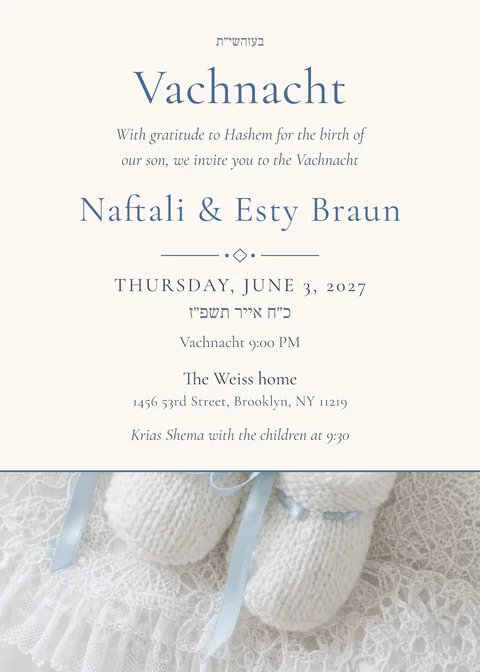

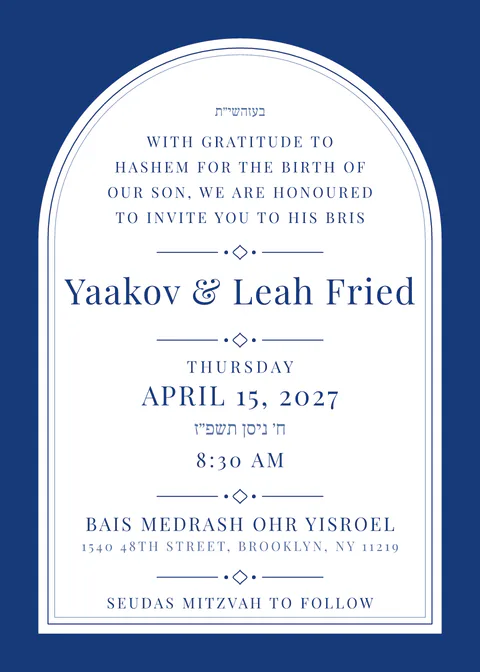
Each occasion has its own standard wording in Lashon Kodesh and English; pick the occasion and the right lines are on the card.
A bris is announced the night before. Write the card, send the link to the family group, and every guest has the shul and the time on their phone — with a text version for phones that show no pictures.
Shalom zachor, vachnacht and bris can sit on one card as three parts, each with its own time and place, or go out as three separate notices.
A bris card is written at night and read in the morning. The designs here are for that: the baby’s name is not yet on the card, the father’s and the grandparents’ names are, and the shul, the minyan time and the seudah are each a line with a map button.
For the shalom zachor and the vachnacht the card is a notice more than an invitation: no reply needed, the address and the time are what matter. Switch the reply form off and send the link, or send the text version alone.
The pidyon haben, a month later, gets its own card in the same look, with the Hebrew date of the thirty-first day filled in from the birth date.
Questions
Can I send it without a reply form?
Yes. The RSVP is a switch; off, the link shows the card, the address with maps and the calendar button, and nothing else is asked of the guest.
Can the baby’s name be added after the bris?
Yes. Edit the card after the bris and everyone who opens the link again sees the name; send the text version again to the family group if you like.
Is there a card for the pidyon haben?
Yes. Pidyon haben has its own designs and wording in this family; the date follows from the thirty-first day.
Does it work on a filtered phone?
The card is readable before any animation runs; the schedule, the maps, the calendar buttons and the reply form work without JavaScript, and a plain text version is one tap away. The message you send carries the names, the date and the hall as text before the link, so a guest whose phone shows no pictures still has the details.
Do my guests need an app or an account?
No. They tap the link in WhatsApp or email and the invitation opens in the browser, on any phone, tablet or computer. Only the host signs in, with an email — no password.
What does it cost?
Designing, your guest list and a test send to yourself are free. Sending to up to 40 households is free; the Simcha plan is $49 for up to 400 households and the Chasunah plan $99 for up to 1,500 — one payment per invitation, no subscription. Pricing.